GTA 6 file size: what’s confirmed about storage
Status labels
Confirmed stated by Rockstar Games, Take-Two or a platform holder. Analysis our reading of official material. Not announced no official information yet.
Short answer: Rockstar says GTA VI requires up to 212 GB of available console storage, depending on your device. Use the transfer amount in your console queue to estimate download time. Rockstar installation requirements.
Storage and PS5 support checked November 9, 2026.
When can I start the download?
Digital pre-load opens on November 10, 2026, at midnight local time on PS5 and at 00:00 GMT worldwide on Xbox Series X|S. On both consoles, play begins at midnight local time on November 19. Rockstar Support regional schedule.
See the console release schedule for launch details.
Physical copies still need the full download
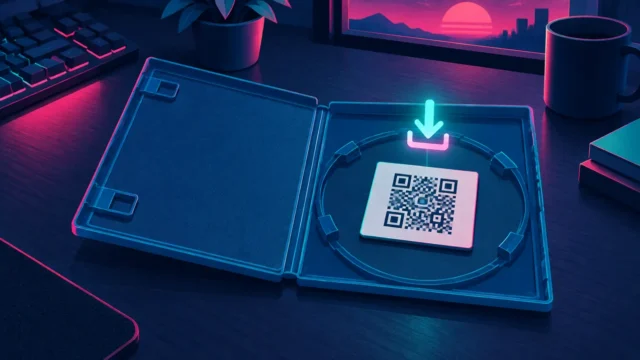
Confirmed Rockstar Support confirms the physical version contains a download code, not a disc: “A disc will not be included in the box.” That means physical buyers install the same download as digital buyers once the code is redeemed, so a printed box offers no shortcut around the storage requirement. See our pre-order guide for how digital and physical purchases compare.
How much space should I clear for GTA VI on Xbox Series S?
Rockstar gives one device-dependent requirement of up to 212 GB. Its installation guidance does not list a separate Series S number. Use the storage requirement shown for your console, then read the remaining transfer in the download queue. For example, 45 decimal GB remaining at a sustained 100 Mbps takes one hour before overhead. Use the remaining bytes for that calculation even if your console asked you to clear more space.
PS5 preload complete but the GTA VI timer is still running?
Check the game tile in your library for the unlock countdown. Downloads/Uploads shows the file transfer. The two clocks can finish at different times. PlayStation lists 19 November 2026 at midnight local time for the PS5 release. Open Settings → Storage to check free space separately. See PlayStation’s GTA VI support instructions.
Follow the ViceLens launch-week video guides or open the ViceLens channel on YouTube.
How to prepare console storage
- Check the library or store listing for the exact PS5 or Xbox version you own.
- Distinguish the download amount from installed size and any extra space requested by the console. Follow the console’s installation prompt when it becomes available.
- Use the launch checklist for preparation and the platform guide for compatibility. A platform label does not establish a storage requirement.
These are general preparation steps, not a measured GTA VI installation test. We have not installed the unreleased game.
How long could a large download take?
Planning examples only: 100 GB and 200 GB below are arbitrary transfer scenarios, not GTA VI size estimates or official requirements. Use the actual download amount shown for your edition and console when it becomes available. A schedule can tell you when a pre-load starts; it cannot tell you how many bytes your connection must transfer.
| Illustrative transfer | 25 Mbps | 50 Mbps | 100 Mbps | 300 Mbps |
|---|---|---|---|---|
| 100 GB scenario | 8 h 54 min | 4 h 27 min | 2 h 14 min | 0 h 45 min |
| 200 GB scenario | 17 h 47 min | 8 h 54 min | 4 h 27 min | 1 h 29 min |
Method: seconds = decimal GB × 8,000 ÷ sustained Mbps. There are eight bits in a byte; decimal GB means 1,000,000,000 bytes and Mbps means 1,000,000 bits per second. The NIST guide to binary prefixes distinguishes GB from GiB. If a queue reports GiB, convert each GiB to 1.073741824 GB before using this formula. The table uses GB throughout.
For example, an illustrative 100 GB transfer at a sustained 100 Mbps takes 8,000 seconds, or 2 hours 13 minutes 20 seconds; the table rounds that to 2 hours 14 minutes. At 50 Mbps, the same assumed transfer takes twice as long. At a sustained 50 Mbps, 200 GB takes 8 hours 53 minutes 20 seconds, shown as 8 hours 54 minutes. These are arithmetic results, not measured GTA VI downloads.
The connection rate must represent sustained throughput available to this download, not just the headline speed of an internet plan. Wi-Fi, other devices, platform servers, protocol overhead, pauses and changing throughput can make a download take longer. The formula omits those effects, decompression, installation and updates. There is no universal percentage allowance that turns it into a promised finish time. If the console gives a current estimate, use that operational estimate and expect it to change.
Download bytes, free space and playable storage are different checks
- Record the version and evidence. Note platform, edition, store region, check time and whether a figure comes from a public listing or your console queue. Keep download size and installed size in separate fields. An unlabeled screenshot cannot establish which one it shows.
- Read the console’s free-space prompt. Use its current requirement for that installation. Do not reserve only the illustrative amounts above or assume the transferred data equals the storage occupied afterward.
- Check where a game can be played. Sony says PS5 games cannot be played directly from USB extended storage; copy them back to console storage to play. Moving an older game to USB can free space, but free USB capacity alone is not proof that a new PS5 game has playable space. This is general PS5 guidance, not a GTA VI installation test. For Xbox, follow the console’s storage and compatibility prompts for the actual game.
- Check transfer and installation separately. Record the queue’s remaining download and the console’s installation state. Recheck after any update. A completed transfer or an earlier pre-load does not itself establish that the game is unlocked for play.
How to cite and reuse this planning method
Link to the download-time method and scenario table and state the assumed transfer amount, sustained Mbps and decimal units. Attribute the arithmetic to ViceLens, calculated October 31, 2026, and retain the scenario-only limitation. Cite Rockstar or the platform separately for any actual game size using its dated support notice. This article supplies no new redistribution license for third-party material.
Limits of this check: we reviewed accessible public US product information and Rockstar Support. We did not inspect an authenticated console library, measure an installation or audit every regional listing. The source dates belong to these checks; the scenario calculation is independent of any rumored file size.
Sources
- PlayStation — Grand Theft Auto VI, US store, checked October 31, 2026
- Xbox — Grand Theft Auto VI, US store, checked October 31, 2026
- Rockstar Support — Grand Theft Auto VI Platforms, Editions, and Versions, updated August 18, 2026; rechecked October 31, 2026
- PlayStation — USB extended storage on PS5 consoles, checked October 31, 2026
- NIST — Prefixes for binary multiples, checked October 31, 2026